Note: Our site will be fully translated into English very soon, including the entire shopping experience and documentation.
Before using the product, it is necessary to have WordPress installed and Divi Theme activated. It is a primary requirement for our product to work properly. *(The Divi theme is not included in the product)
After downloading the product, you will get the Diviuikit1.zip folder with all the product files. You must first unzip this package on your computer.
The package includes the Divi Library Files folder in which all the designs will be separated, ordered and categorized, and also a file called “All” that will have all 50 elements in a single upload to the library.
All of these files should be uploaded to the Divi library.
JSON of layouts exported from library #
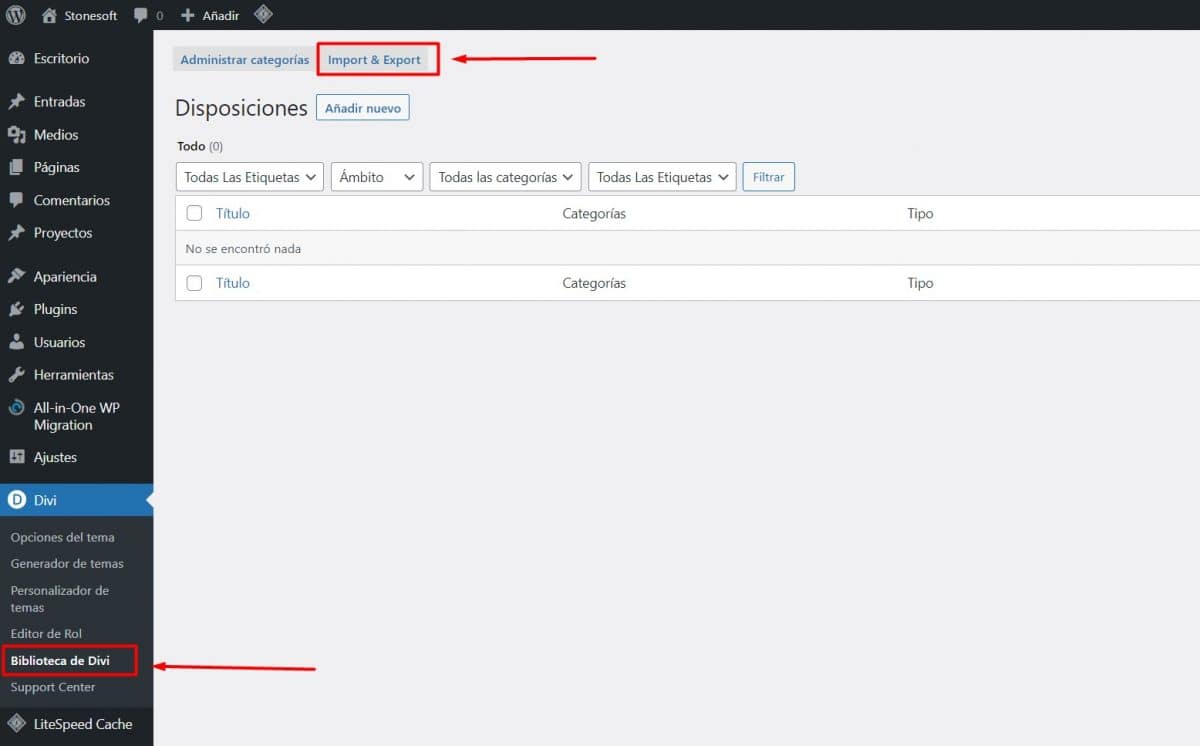
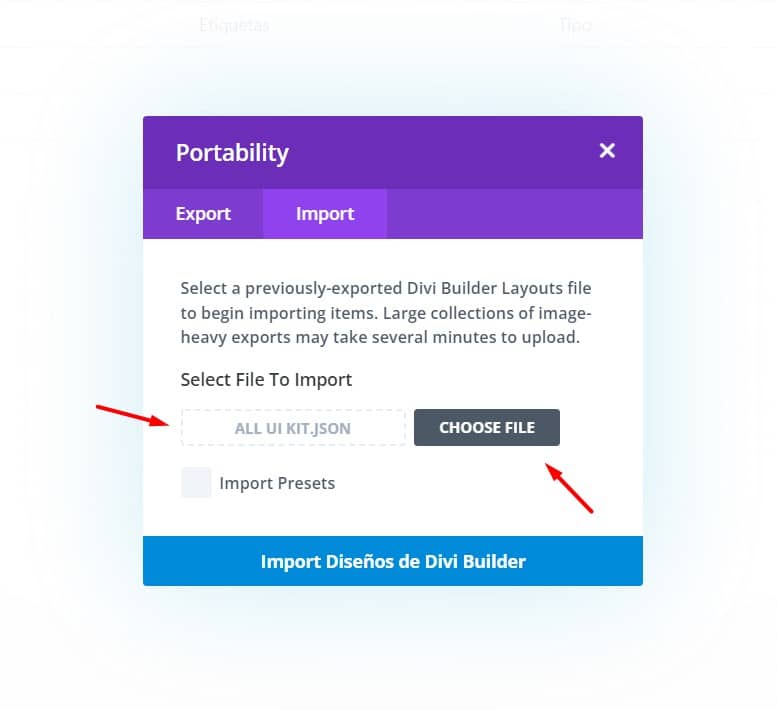
The files were exported directly from the library. To import them, all you have to do is go to Divi > Library > Import and there import the complete file that you will find when downloading our product.
Select the “All ui Kit” file and hit import
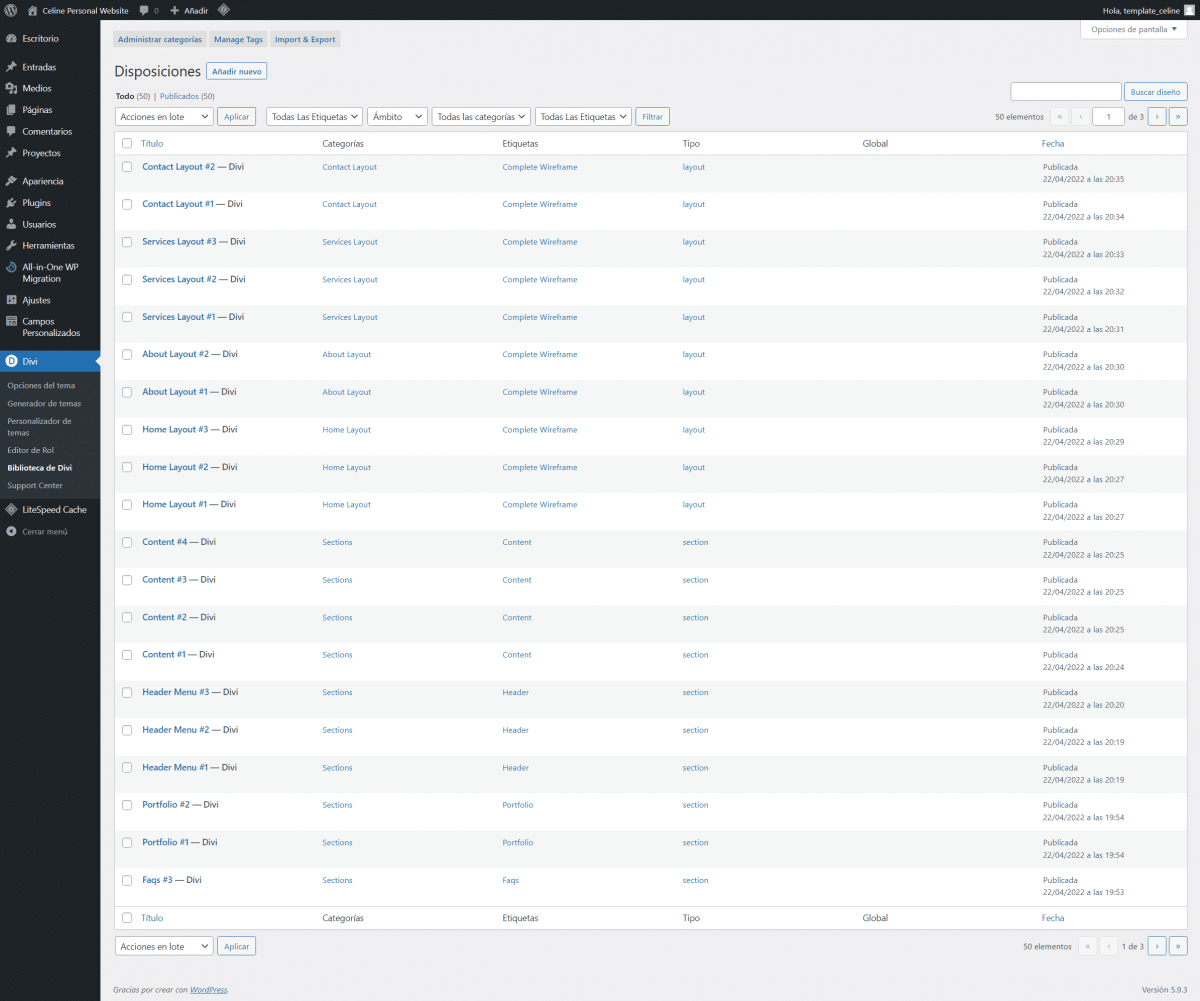
With this you will have all the sections categorized and ordered to use in any part of the site that you want. In addition, you will also have the complete layouts so that you can design complete pages in a few minutes.
Use library layouts on pages. #
To use the full library layouts on any page, just go to the page where you want to import the layout and click the bottom purple circle with the “+” symbol

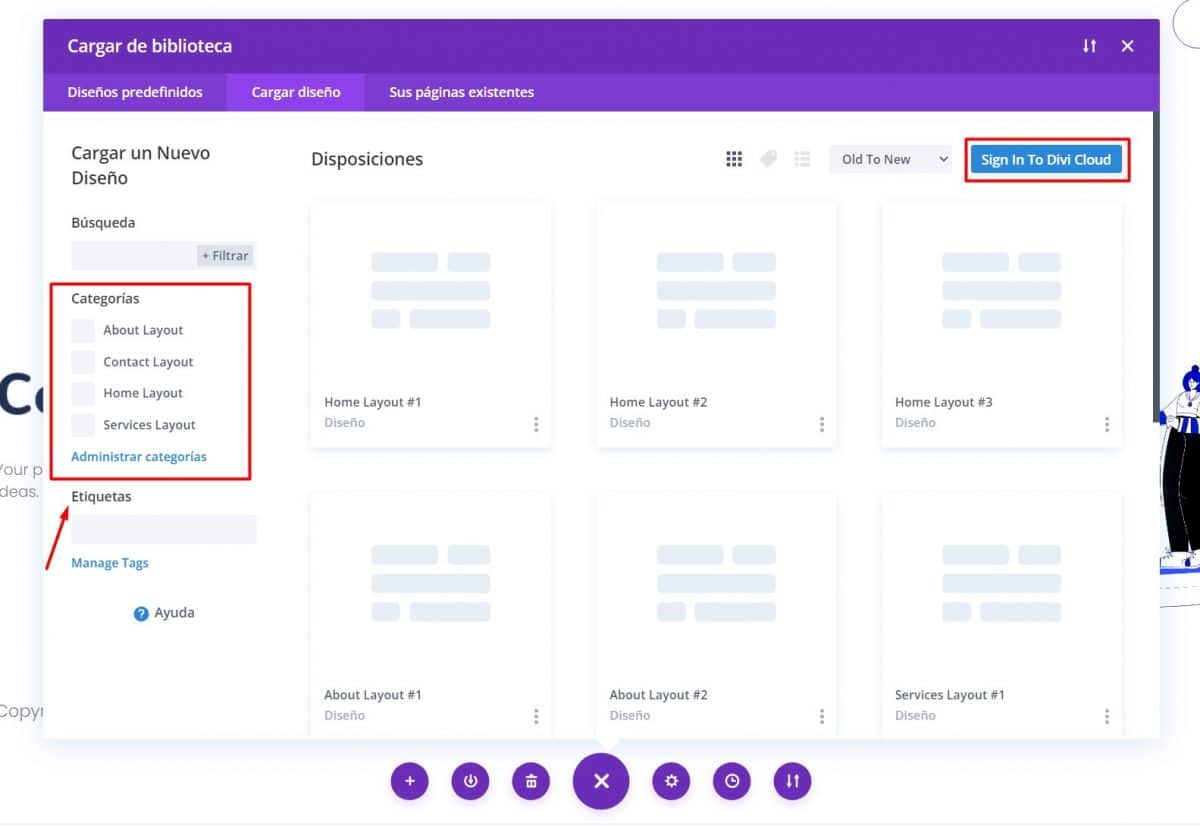
When loading the screen, you will be able to see all the complete layout designs, and you will also be able to select them by category:
Choose the design you want and click on “select design”
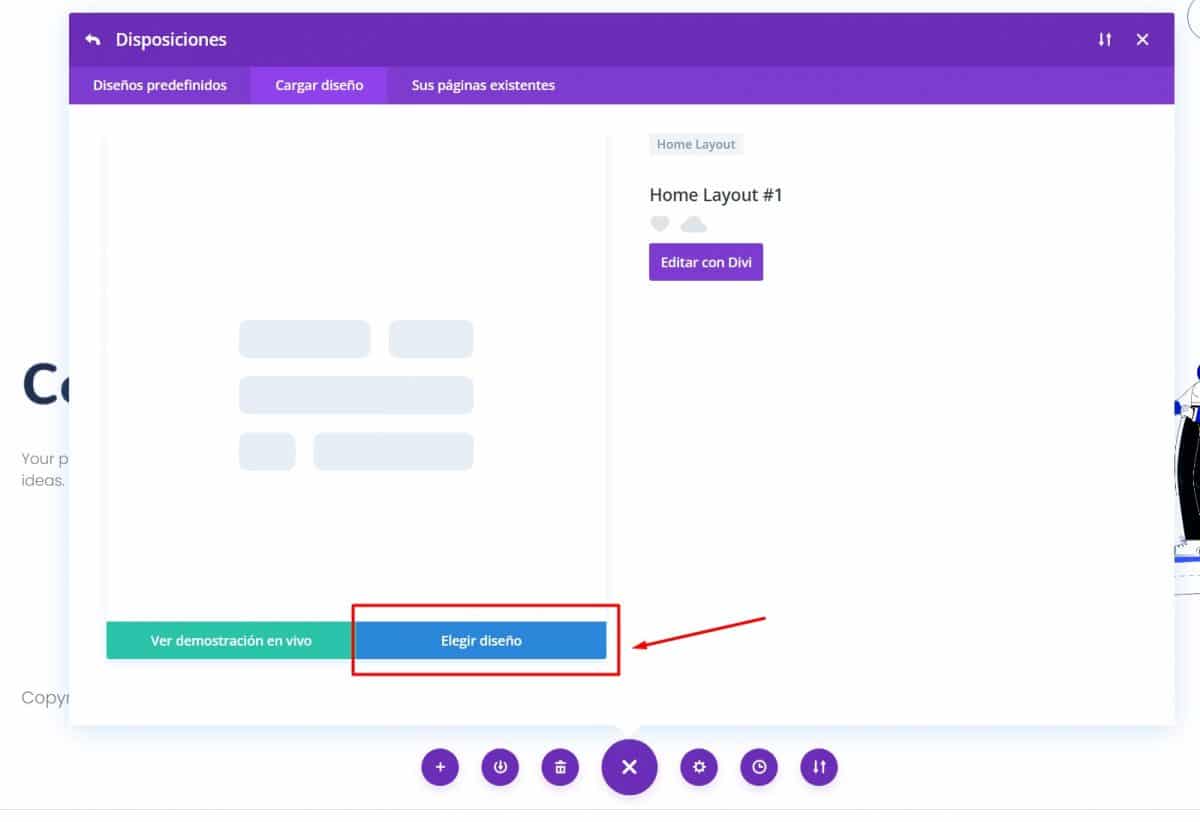
Once the complete design is imported, you can modify it to your liking.
Use sections on the web #
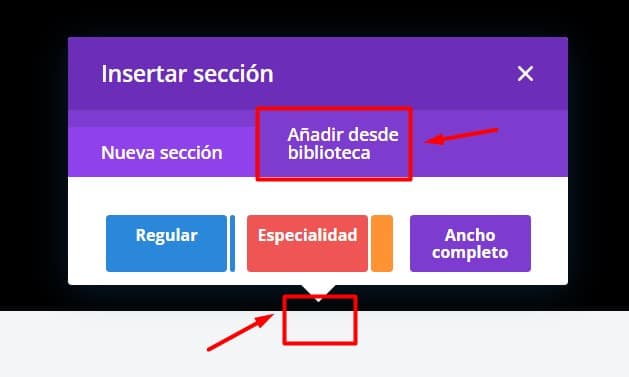
You can also use the sections independently anywhere on the page you want. To do this, you just have to click on add a new section, and then click on import from the library:
When you open, you will see in the library all the designs of the sections, sorted and taget according to their content. You can filter by tag the section you want to see to choose the one you want.
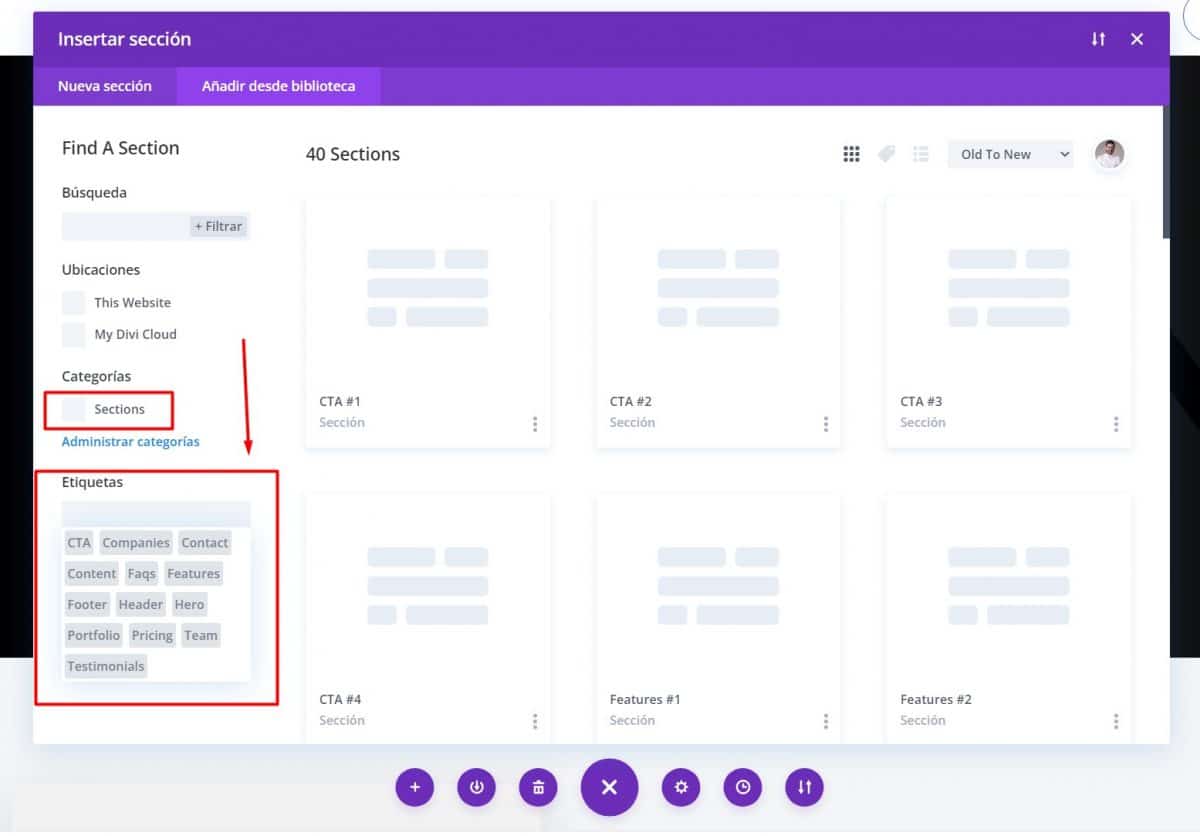
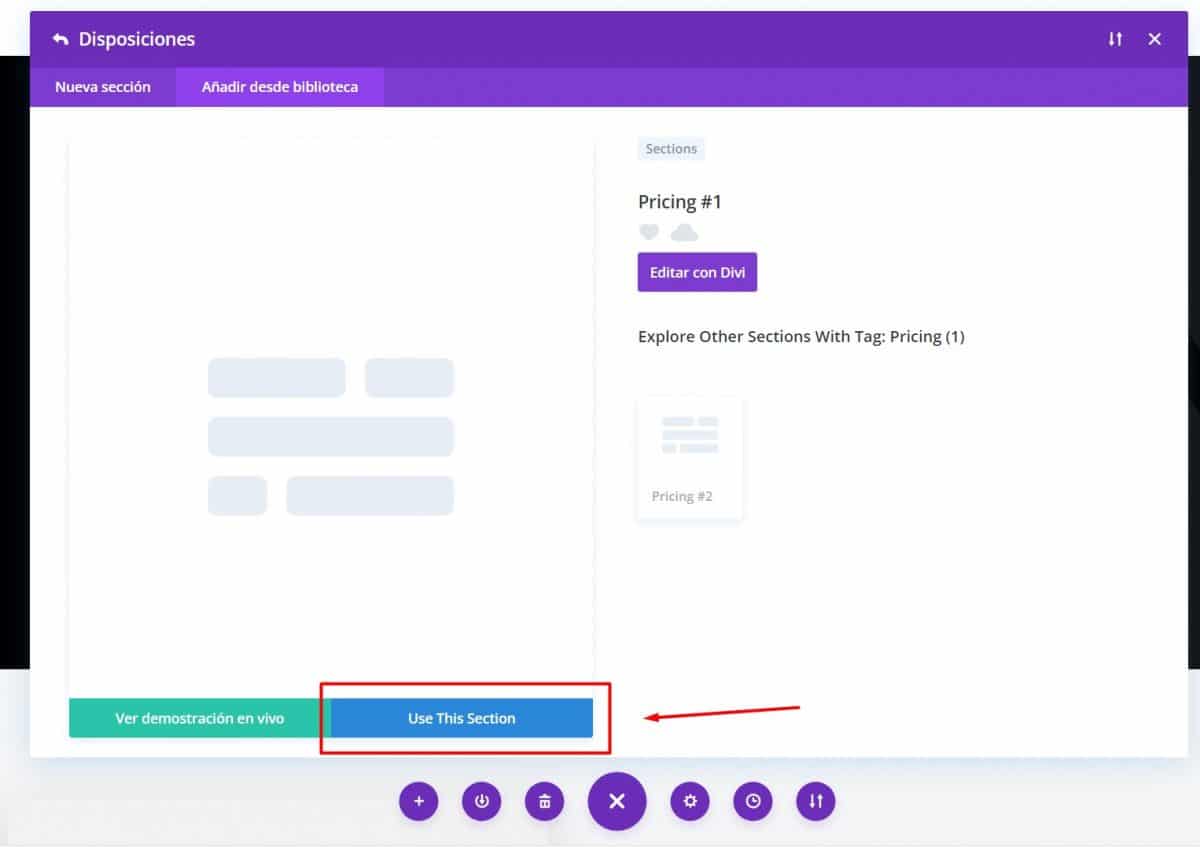
Once you choose the section you want, you just have to click on “use this section”
Upload designs to the Divi Cloud. #
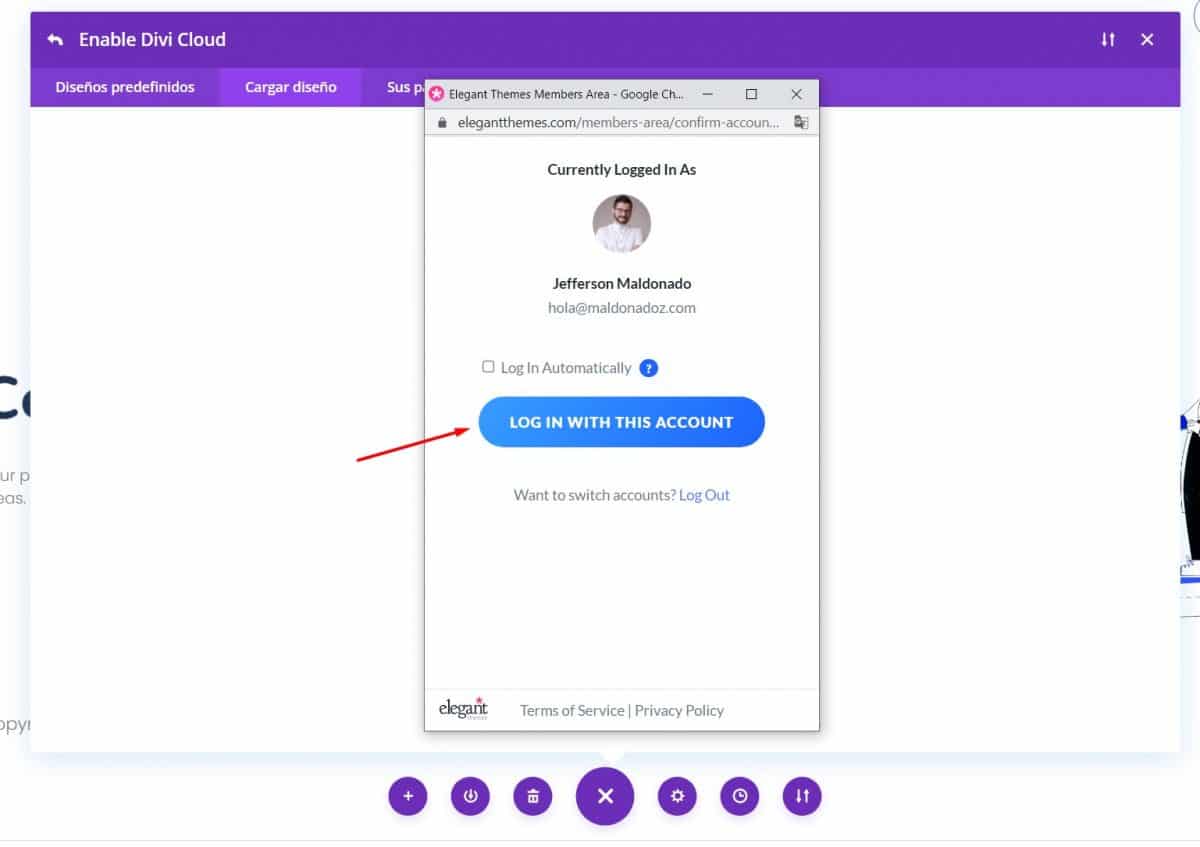
To learn more about how Divi Cloud works, you can watch this tutorial. The first step to use the service is to log into the modal window with your elegantthemes.com account.
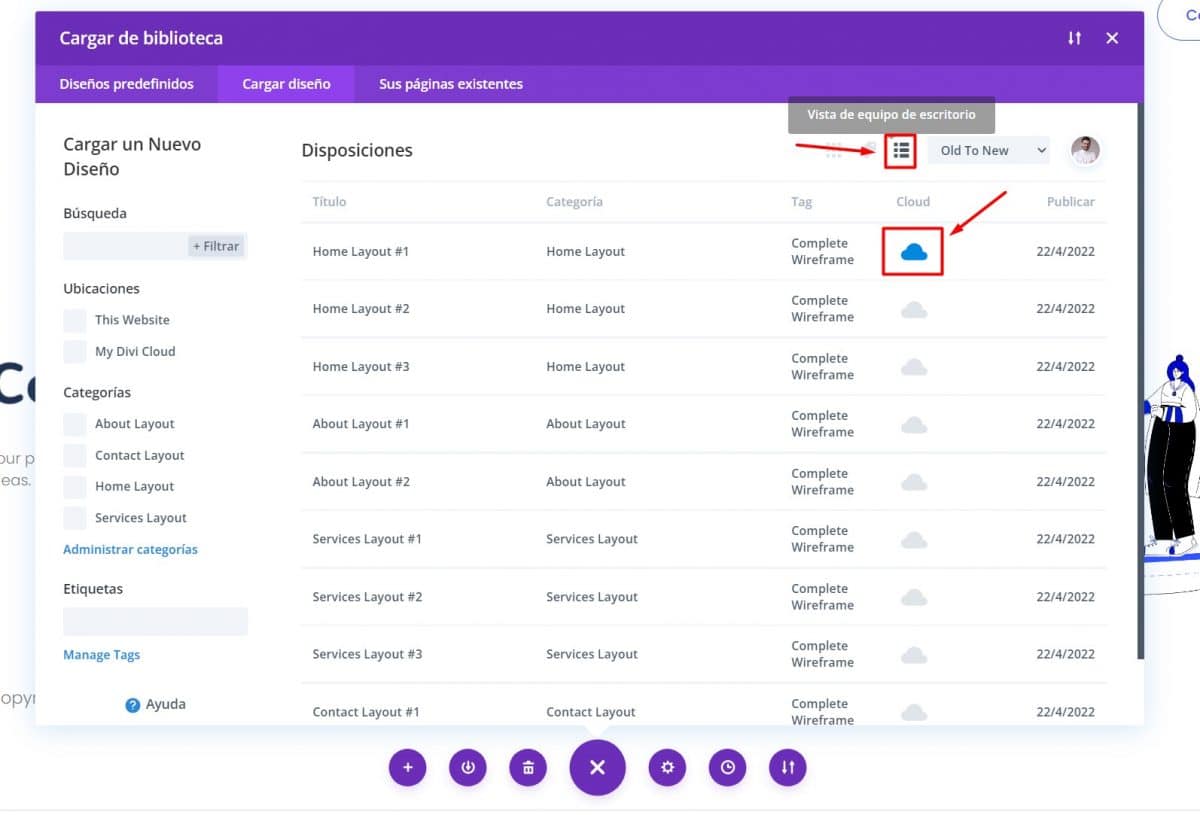
You will be able to import all 50 elements into the Divi Cloud in a few minutes. You just have to go to the card of the design you want and click on the cloud icon until it turns blue.
After this step you will be able to see your design in your Divi Cloud. An additional step may be to categorize the design again with the category it previously had, but now in your Divi Cloud. To do this, you just have to press on the three points of the design and click on “assign category or label”
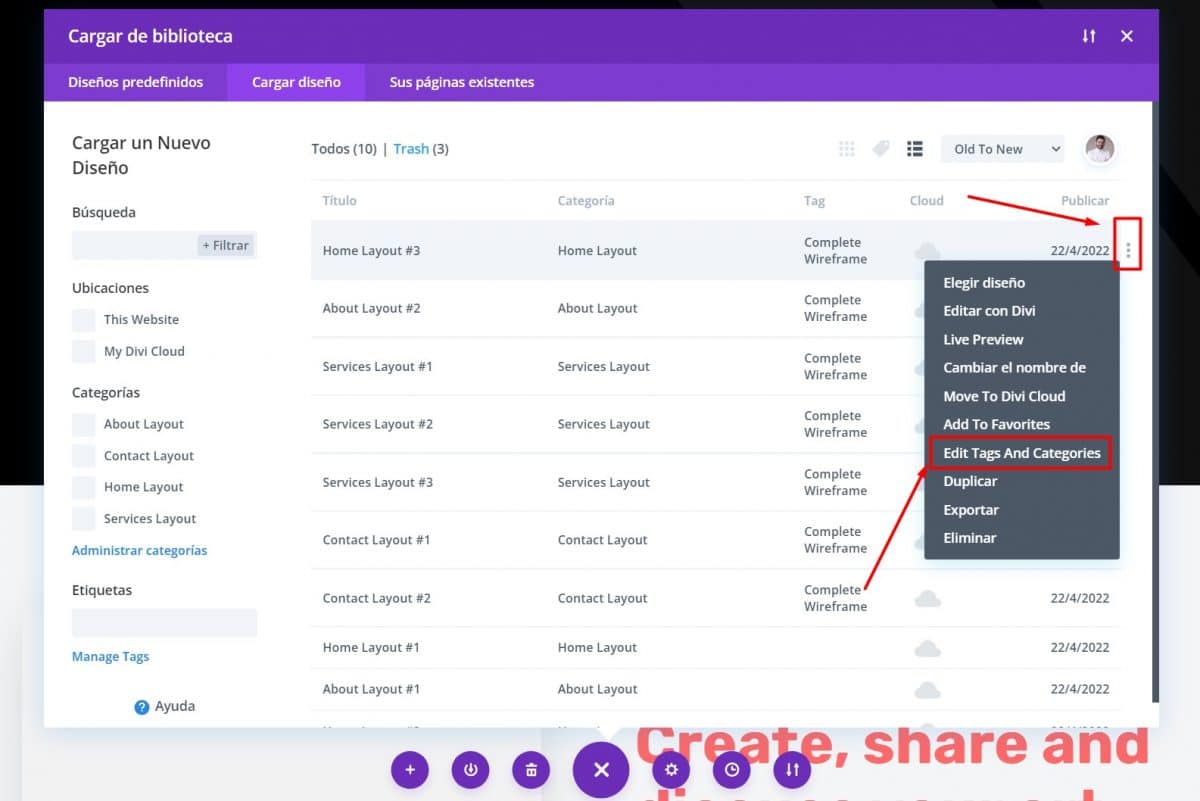
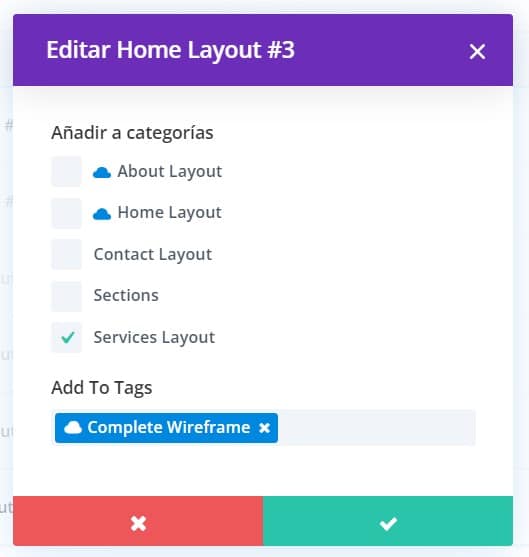
Here you select the category you want and click on the green check button. This is an optional step, but recommended if you want the categories with which the designs are imported to be added to your categories within the Divi Cloud.